
Hotel Website: Enquiry Form or Online Booking?
Hotel Website: When Is an Enquiry Form Enough, and When Do You Need Online Booking?
A guest browses your rooms, likes your property and chooses dates for their stay. Their next step could be sending an enquiry for your team to review or completing a booking directly through your website.
Both approaches can work well. The right choice depends on how you welcome guests, set your rates and manage availability.
For a guest house rented as a whole, where each stay requires a tailored offer, a straightforward enquiry form may be enough. For a hotel with several room categories and regular bookings, an online booking system can handle much of the routine communication.
This article explains the differences and how to choose an approach that suits your property.
What is the difference between an enquiry and an online booking?
An enquiry form sends a request to your team. The guest provides their preferred dates and number of visitors. You then check availability and respond with an offer. Submitting the form does not confirm their stay.
An online booking system lets the guest complete a reservation through your website. It displays current availability, the price for the selected stay and the booking conditions. Depending on the setup, it can also collect a deposit or full payment.
| Enquiry form | Online booking | |
|---|---|---|
| Availability | Your team checks it after receiving the request | The system checks it when the guest selects dates |
| Price | Can be provided in a tailored offer | Calculated according to your configured rules |
| Confirmation | After your team responds and agrees the details | Through the system once the booking conditions are met |
| Payment | Arranged after the enquiry | Can be part of the booking process |
| Team involvement | Handles each enquiry | Manages availability, rules and exceptions |
When is an enquiry form enough?
An enquiry form is suitable when a conversation with the guest is an important part of arranging the stay and your team can respond promptly.
You rent out an entire property or prepare tailored offers
If you offer a villa for groups, a guest house for family gatherings or accommodation for events, the price may depend on several factors.
Guests may need additional equipment, catering, a different check-in time or specific arrangements. An enquiry lets you clarify these details before confirming the stay.
You receive a manageable number of enquiries
If you have a small number of rooms and can easily keep track of incoming requests, a full booking system may not be your first priority.
A website with strong photography, clear terms, useful pricing information and a short enquiry form may be a more practical starting point.
Someone needs to monitor incoming requests, with a clear process for responding. The form is useful only if enquiries reliably reach your team and are followed up.
Your first priority is improving how the property is presented
Sometimes the main issue is the website itself: room information is incomplete, the photography does not represent the property well or contact details are difficult to find on a phone.
In that case, you can start with a better presentation and an easier way to enquire. If you plan to add online booking later, discuss this during the initial build so future development can be considered.
What should a good enquiry form include?
A general “Your message” field is rarely enough for an accommodation enquiry. The form should collect what your team needs for an initial response without making it difficult for the guest.
Short, relevant fields
Useful fields typically include:
- Check-in and check-out dates.
- Number of adults and children.
- Children’s ages, where they affect accommodation or pricing.
- Preferred room or accommodation type.
- Name and email address.
- Phone number, if needed for your process.
- An optional field for additional requests.
A clear message after submission
The guest should know that their enquiry has been received and what happens next.
For example:
We’ve received your enquiry. We’ll check availability and contact you with an offer. Your stay will be confirmed once the details and booking conditions have been agreed.
An automated acknowledgement email should also be clearly distinguishable from a booking confirmation.
An easy experience on mobile
Selecting dates, completing fields and submitting the form should be straightforward on a small screen.
Check that error messages are easy to understand and that entered information is retained when the guest needs to correct a field.
When does online booking make sense?
Online booking is suitable when most stays can follow clearly defined rules and you want guests to complete the process independently.
Your team regularly answers the same questions
“Do you have a double room available?”, “What is the price for these dates?” and “How much is the deposit?” can lead to several messages for a single booking.
When availability, rates and conditions are configured in a system, guests can see them as they choose their stay. Your team still helps with special requests, while standard bookings require less manual communication.
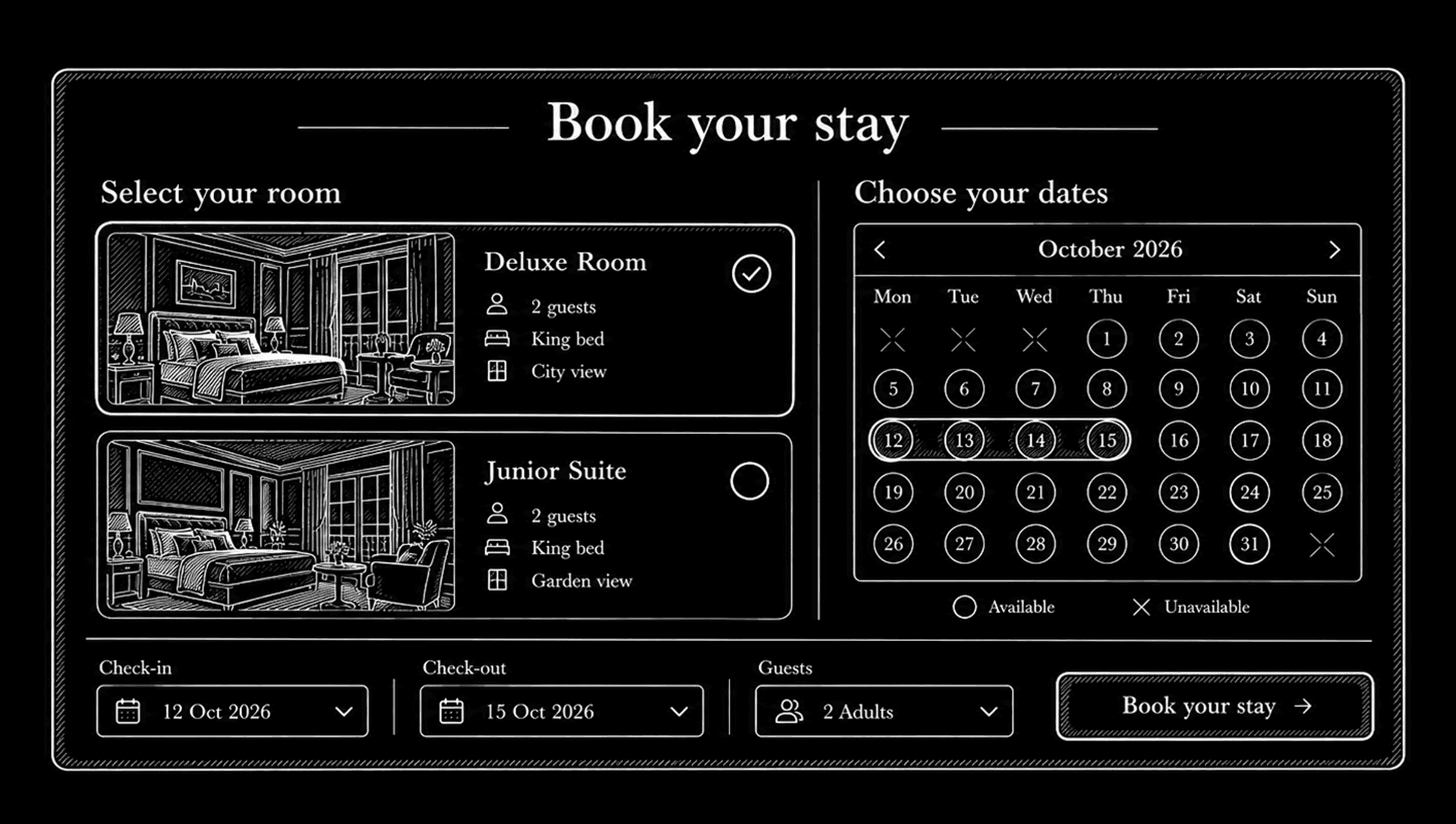
You want guests to book outside working hours
A system with up-to-date availability allows guests to book in the evening, at weekends or while your team is busy.
For this to work reliably, your booking rules and the point at which a reservation becomes confirmed need to be defined in advance.
Your rates and booking conditions are clearly defined
Seasonal rates, minimum stays, room occupancy and cancellation conditions can all form part of the booking process.
Before development begins, clarify:
- How rates are set for each room category.
- How adults and children affect the price.
- When minimum-stay requirements apply.
- How much deposit is required and when it is due.
- How changes and cancellations are handled.
The system needs to reflect how your property operates. Unclear rules will require clarification whichever technology you choose.
You want to develop your direct booking channel
Your own website gives guests a way to book directly with you. It can operate alongside the booking platforms you already use.
An online booking system makes it easier to complete a reservation, but it does not attract visitors by itself. You also need a convincing presentation, suitable offers and ways for people to discover your website.
Explore our approach to websites for hotels and guest houses.
What should you check before adding a booking system?
Where is availability managed?
If you accept bookings through your website, by phone and through external platforms, you need to know how each reservation updates your available rooms.
Taking payments on your website does not automatically synchronise availability with other channels. Synchronisation is a separate capability that needs to be assessed and included in the scope.
A property management system, often called a PMS, and a channel manager can help exchange availability, rates and reservation data. What is possible depends on the systems you use and the integrations they support.
Can you keep your existing booking system?
If you already use a direct booking solution, connecting it to your new website through a button, an embedded booking interface or an integration may be enough.
A custom website does not necessarily require a new booking system. We first review what you use and whether it meets your needs.
A custom booking solution can make sense when you need a specific workflow, a different management approach or functionality your current system does not provide.
Who will keep the information up to date?
Someone needs to be responsible for rates, availability and changes to booking conditions. Where integrations are involved, you also need a process for checking synchronisation issues.
Automation handles part of the work, but it still needs proper configuration and day-to-day management.
Can you combine both approaches?
Yes. You can offer online booking for standard stays and an enquiry form for groups, events or special requirements.
For example, a guest could book a double room directly, while a group looking to rent the entire property sends an enquiry.
This keeps standard bookings straightforward while giving more complex requests the personal attention they need.
How do the costs differ?
A website with an enquiry form usually has a smaller technical scope. A booking system adds availability management, rate calculations, confirmation rules and potentially payments and integrations.
At Studio Hivenapse, business websites start at €900, while websites with a custom booking system and online payments start at €2,900. The final price depends on the agreed features, languages and connections to external systems.
Hosting and technical maintenance are included for the first three months. After that, our package starts at €50 per month and includes premium server infrastructure, an SSL certificate, daily backups, 24/7 monitoring and regular security updates.
You purchase and renew your domain separately. Payment provider fees and charges for external booking systems, where used, are also separate expenses.
Explore our website packages and pricing.
Frequently asked questions
Is online booking suitable for a small guest house?
It can be. Room count is only one factor. The volume of enquiries, how clearly your rates are defined and the time spent processing bookings are more useful considerations.
Can guests book online without paying by card?
Yes. Payment on arrival or by bank transfer can be supported according to your property’s conditions.
It should be clear whether the reservation is confirmed immediately or remains pending until payment is received.
Does an enquiry form make a website less professional?
No. A well-designed enquiry form can be appropriate for properties that prepare tailored offers. Clear expectations and a reliable response from your team are what matter.
Can we add online booking later?
Yes. It is best to discuss this during the initial planning. Further development has its own scope, timeline and cost.
Choose an approach that fits how you welcome guests
To choose the right option, review a few real enquiries: what the guest asks, what your team needs to check and how many steps it takes to confirm the stay.
If each stay requires an individual agreement, an enquiry form can work well. If most reservations follow the same rules, it is worth discussing how to automate the process.
Tell us about your hotel or guest house
We’ll review how you work and suggest a suitable website, the features you need and an indicative budget.
Discuss your hotel website with Studio Hivenapse